
 By Mikel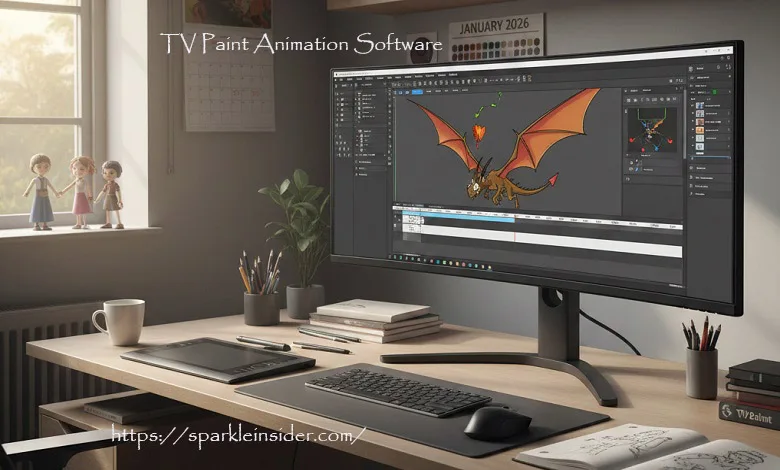
Among animators who spend their time actually drawing rather than clicking presets, TV Paint Animation software has long held a quiet kind of respect. It’s not something people usually discover through ads or trends. More often, it’s recommended by a teacher, a colleague, or someone who has been animating for years and knows what works. While plenty of newer tools promise faster results, TVPaint has stuck around by doing one thing well: letting animators animate.
The software doesn’t try to impress with shortcuts or automation. In fact, it expects you to slow down and think through your work. That’s part of why it has survived changes in technology and style. Studios, independent artists, and animation schools continue to use it not because it’s fashionable, but because it feels dependable and familiar once you learn it.
This article looks at TV Paint Animation software from a practical point of view. Not as a marketing pitch, but as a working tool. It covers what the software is meant to do, how animators actually use it, why it still has a loyal following, and whether it makes sense to choose it today when there are so many other options available.
What Is TV Paint Animation Software?
TV Paint Animation software is a professional 2D animation program designed mainly for frame-by-frame work. Instead of building animation from vectors, symbols, or automated motion systems, it relies on bitmap drawings, where every frame exists as a separate image. This approach is closer to traditional paper animation than most modern software.
Because of that, the animator stays in control of every line and every movement. Lines behave naturally, textures don’t get flattened, and nothing is “cleaned up” unless you do it yourself. For artists who enjoy drawing and care about how motion feels from one frame to the next, TVPaint tends to feel more like a digital desk than a piece of software trying to take over the process.
How TV Paint Works: The Core Philosophy
TV Paint Animation software is built around one simple idea:
Animation should feel like drawing.
When you open TVPaint, you’re not greeted by complex rig systems or automated timelines. Instead, you work on a timeline made of frames, drawing each pose by hand. The software provides digital tools that behave like pencils, brushes, pens, and paints — not vectors and nodes.
This makes the workflow feel familiar to artists coming from:
- Paper animation
- Flipbooks
- Traditional cel animation
- Sketch-based illustration
Rather than forcing a specific production method, TVPaint adapts to how animators already think.
Drawing Tools and Brush Engine
One of the strongest reasons artists choose TV Paint Animation software is its brush engine.
TVPaint allows deep customization of brushes, including:
- Pressure sensitivity
- Texture behavior
- Opacity variation
- Line stabilization
- Eraser interactions
- Custom brush shapes
This means an animator can create brushes that behave like graphite pencils, ink pens, dry brushes, watercolour, or completely custom tools. Because everything is bitmap-based, strokes retain their organic quality — no clean vector edges unless the artist wants them.
For animators who care about line quality and expressiveness, this alone can justify choosing TVPaint.
Frame-by-Frame Animation Strength
TVPaint truly shines when it comes to traditional frame-by-frame animation.
Key animation features include:
- Onion skinning with full control
- Light table functionality
- Exposure sheet (X-sheet) style timing
- Layered animation workflow
- Instant playback for checking motion
- Precise timing adjustments
Animators can work exactly as they would on paper: rough sketches first, then clean-ups, then colour. Nothing is automated unless the artist chooses to use specific tools.
This level of manual control is why many professionals prefer TVPaint over software that relies heavily on interpolation or auto-tweening.
Storyboarding and Animatics
TV Paint Animation software is not limited to finished animation. Many studios use it earlier in the pipeline for storyboarding and animatics.
The Professional version includes:
- Dedicated storyboard panels
- Camera moves
- Shot timing tools
- Sound synchronization
- Export options for PDF and video formats
Because storyboards and animation share the same environment, artists can smoothly transition from planning to production without switching software.
For small studios and independent creators, this can significantly simplify the workflow.
Coloring and Finishing Tools
Colouring in TVPaint is handled through a combination of layers and specialized colour tools. One notable feature is the CTG (Color & Texture Generator) system, which allows artists to apply colour efficiently while preserving line integrity.
Additional finishing tools include:
- Basic compositing
- Layer blending modes
- Camera movement
- Image filters
- Export options for professional pipelines
While TVPaint is not meant to replace advanced compositing software entirely, it is more than capable of handling full 2D productions from start to finish.
Editions: Standard vs Professional
TV Paint Animation software is available in two main editions: Standard and Professional.
TVPaint Standard
This version includes:
- Full drawing and animation tools
- Custom brushes
- Frame-by-frame animation workflow
- Layer and timeline control
It is suitable for individual animators, students, and freelancers who don’t need advanced production features.
TVPaint Professional
The Professional edition adds:
- Storyboarding and animatic tools
- CTG colour system
- Advanced camera tools
- Image libraries
- Production-oriented features
This version is designed for studios, advanced users, and serious independent projects.
Pricing and Licensing Model
Unlike subscription-based software, TV Paint Animation software uses a one-time purchase license. This means you buy the software outright and can continue using it without monthly fees.
While the upfront cost is higher than many beginner tools, some animators prefer this model because:
- There is no ongoing subscription pressure
- Long-term projects are unaffected by pricing changes
- Ownership feels more stable
Educational discounts are available for students and teachers, making it more accessible for learning environments.
Strengths of TV Paint Animation Software
TVPaint has remained relevant for decades because it excels in areas that matter most to traditional animators.
Key Advantages
- Excellent hand-drawn feel
- Superior bitmap drawing quality
- Deep brush customization
- Professional frame-by-frame workflow
- Stable and mature software
- Trusted by animation studios worldwide
It rewards patience, practice, and artistic discipline.
Limitations to Consider
Despite its strengths, TVPaint is not for everyone.
Potential Drawbacks
- Higher upfront cost
- Limited vector animation support
- Not ideal for automated character rigging
- Learning curve for beginners unfamiliar with animation fundamentals
- Interface may feel less modern compared to newer tools
If your goal is fast production with minimal drawing, TVPaint may not be the best fit.
TVPaint Compared to Other Animation Software
TVPaint occupies a very specific place in the animation ecosystem.
- Compared to Toon Boom Harmony, TVPaint is more traditional and less automated.
- Compared to Adobe Animate, it offers greater artistic freedom but fewer shortcuts.
- Compared to Blender Grease Pencil, TVPaint is more focused on pure 2D workflows.
- Compared to Krita or OpenToonz, TVPaint provides a more polished and production-ready environment.
None of these tools is objectively better — they serve different creative goals.
Who Should Use TV Paint Animation Software?
TVPaint is best suited for:
- Traditional 2D animators
- Artists who enjoy drawing every frame
- Animation students learning fundamentals
- Independent filmmakers
- Studios producing hand-drawn animation
It is less suitable for:
- Motion graphics designers
- Web animation specialists
- Rig-based animation pipelines
- Users looking for fast automated animation
Learning TVPaint: What to Expect
Learning TVPaint takes time, especially if you’re new to animation. However, the skills you gain translate directly to traditional animation principles.
Beginners should focus on:
- Basic timing
- Clean drawing
- Simple walk cycles
- Short test animations
TVPaint does not hide mistakes — and that’s a good thing. It forces animators to improve their fundamentals rather than rely on software tricks.
Final Thoughts
TV Paint Animation software is not designed to impress with flashy features or shortcuts. Its value lies in its respect for animation as a craft. For artists who love drawing, timing, and movement, TVPaint offers one of the most authentic digital animation experiences available.
It may not be the fastest or cheapest option, but for those serious about hand-drawn animation, it remains one of the most powerful and respected tools in the industry.